Free Chrome extension for exam aspirants

Fill sarkari forms in one click.

Save your details once. ClicknFill fills SSC, banking, railway and state PSC application forms in seconds, and resizes your photo and signature to the exact KB. Everything stays on your computer.

No account No servers Works offline
apply.example.in/application-form
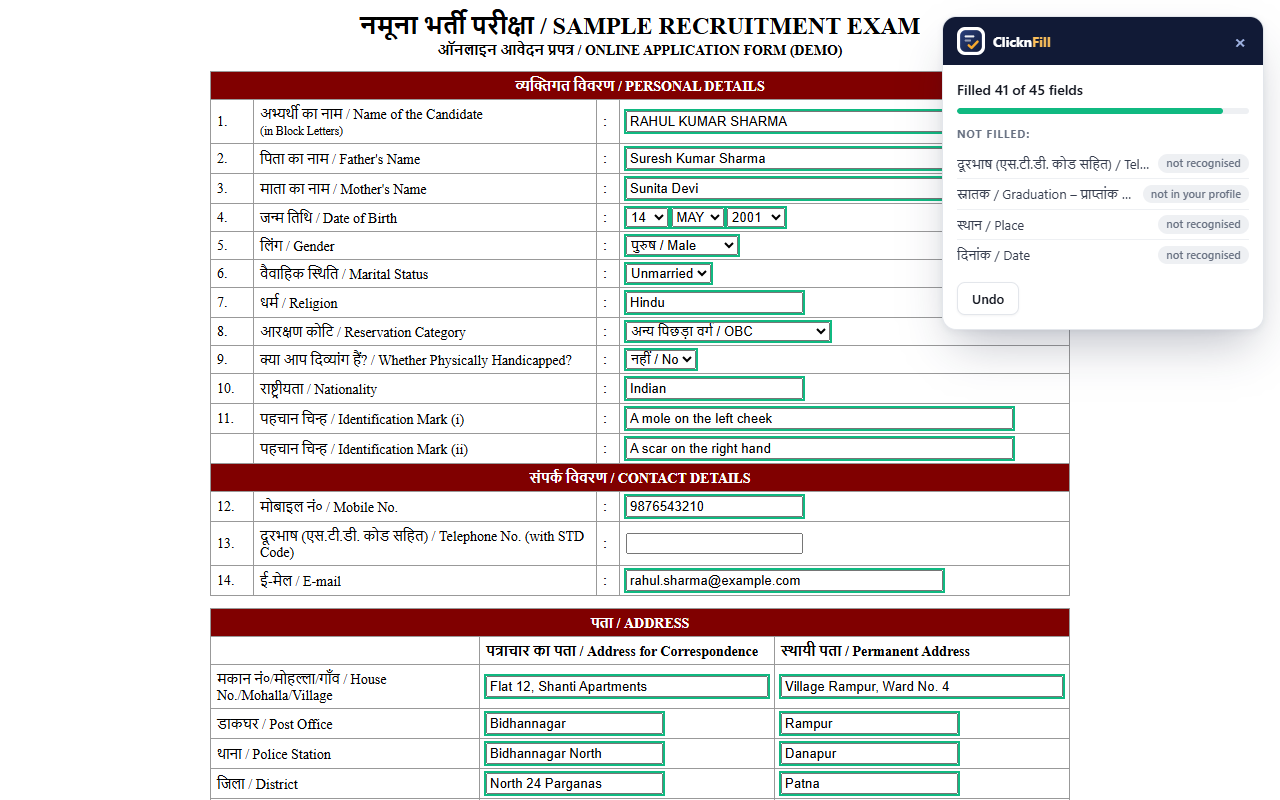
A bilingual application form filled by ClicknFill, with its report panel showing 41 of 45 fields filled
Built for long forms like SSCIBPSSBIRRBUPSCState PSCsScholarships
How it works

Three steps. No more retyping.

The same details, every form, every year. Let ClicknFill type them for you.

1

Save your details once

Name, parents' names, date of birth, category, addresses and education. Keep one profile, or one for each family member.

2

Open the form, press Alt Shift F

Or click Fill this page. Every field ClicknFill recognises is filled and highlighted in green.

3

Check, then submit yourself

A short report shows what was filled and what still needs you. Changed your mind? Undo puts every field back.

Features

Made for Indian application forms

Old table layouts, Hindi labels, odd date formats. ClicknFill handles the forms other autofill tools give up on.

Reads Hindi and table forms

Understands labels like “पिता का नाम / Father's Name”, grid tables for education and address, and forms inside frames.

Learns from your corrections

Fix a field once and ClicknFill offers to remember it for that website, so next time it's right.

Converts as it fills

Dates in the format each field wants, CAPITAL letters when asked, UR/OBC/SC/ST options, state names and 10-digit mobiles.

Photo & signature resizer

Exact pixels and KB for each exam, with your name and date under the photo when the notice asks for it.

PIN-protected profiles

Encrypt your details on this computer with an optional PIN, and keep an encrypted backup for a new PC.

Never touches what it shouldn't

No CAPTCHA, OTP or password fields, no declaration ticks, and it never submits a form for you.

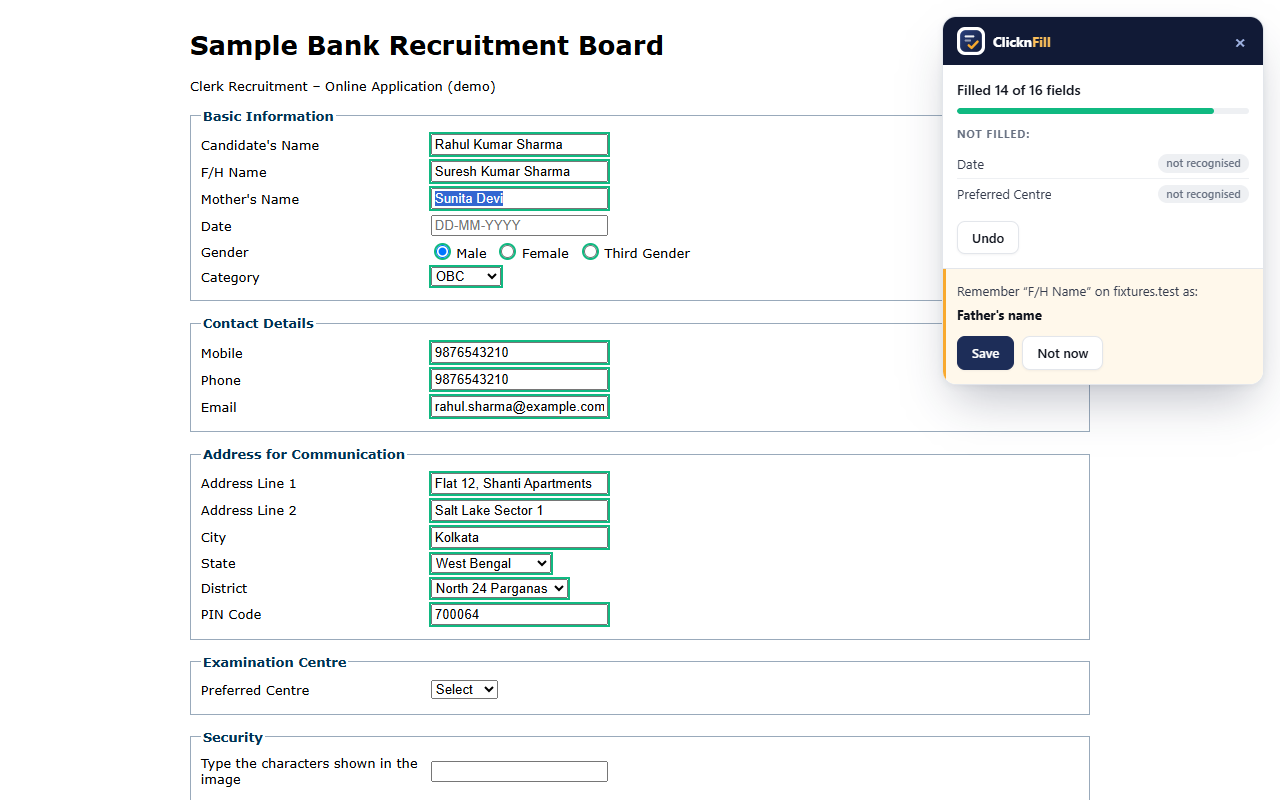
ClicknFill offering to remember a corrected field as Father's name
Smart, and honest about it

See what was filled. Teach it the rest.

Every fill ends with a clear report. Fields it couldn't match are listed, never guessed.

  • Filled fields are outlined in green so you can check them fast
  • Correct one field and it's remembered for that website
  • One-click Undo restores everything you had before
  • Handles State → District dropdowns that load one after another
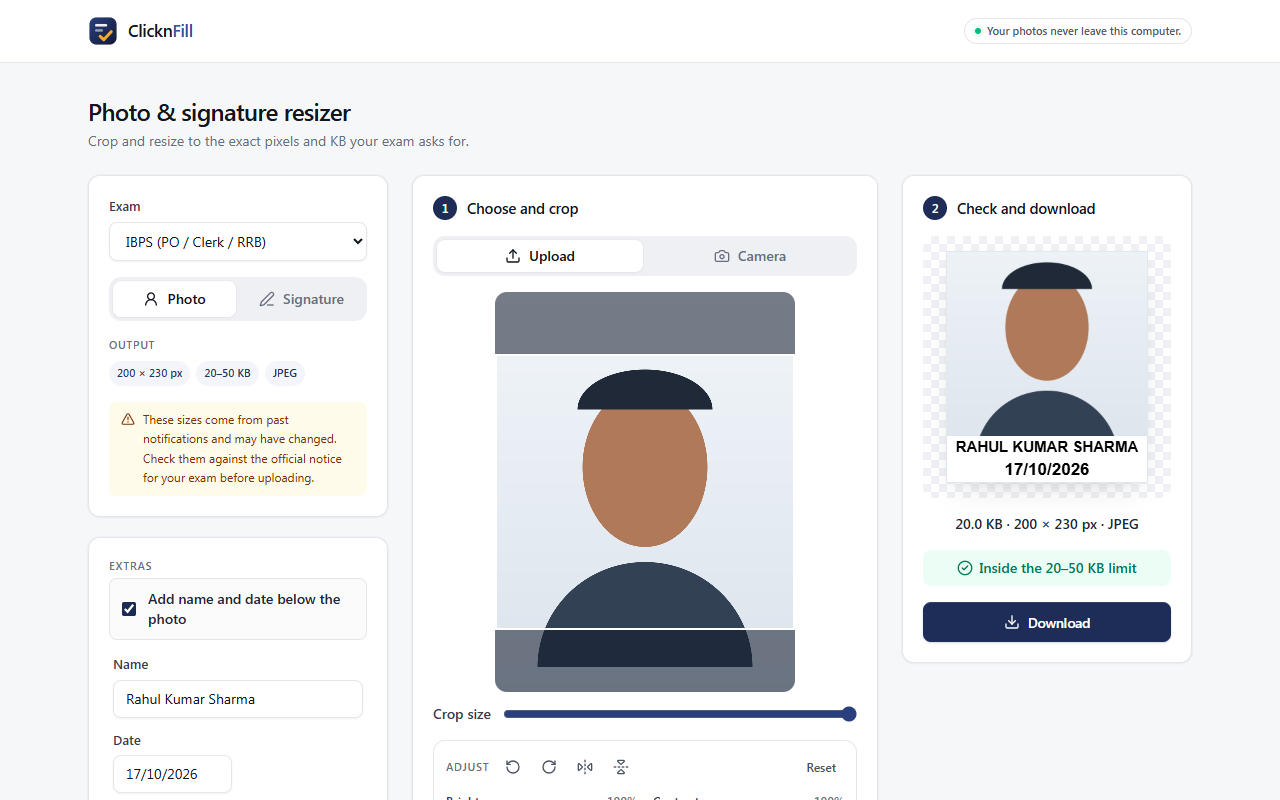
The ClicknFill photo resizer producing a 200 by 230 pixel photo inside the 20 to 50 KB limit
Photo & signature resizer

Photo 20–50 KB? Signature 10–20 KB? Done.

No more “file size not within limit”. Crop, resize and download a file that fits, without uploading it anywhere.

  • Presets for common exams, plus any custom size
  • Hits the exact pixel size and KB range every time
  • Name and date under the photo, whiter background, darker signature ink
  • Works offline, right in your browser
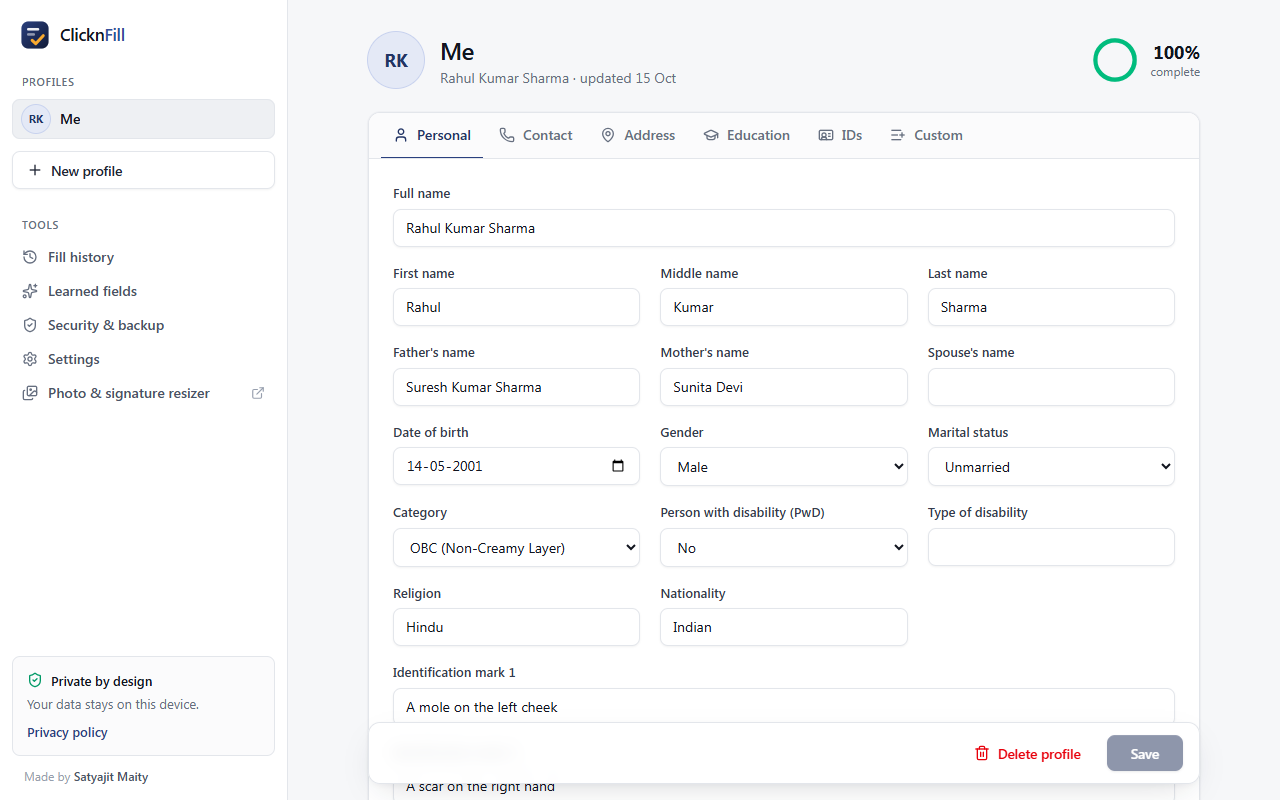
The ClicknFill profile editor with personal, contact, address, education and ID tabs
For cyber cafés too

One profile per customer. Switch in a click.

Keep each customer's details in their own profile, pick it in the popup, and fill their form in seconds. Profiles can be locked with a PIN.

Private by design

Your data never leaves your computer.

ClicknFill has no servers and no accounts. Your details live in your browser, on your machine, and nowhere else.

Stored on your device

Profiles are saved in your browser on this computer only.

No tracking

No analytics, no ads, no third-party code. Nothing is sent anywhere.

Optional PIN

Encrypts your profiles with AES-256. Without the PIN, they can't be read.

Photos stay local

The resizer works inside your browser. Images are never uploaded.

FAQ

Questions, answered

Is ClicknFill free?

Yes. Install it from the Chrome Web Store and start filling forms at no cost.

Will it submit the form for me?

No. ClicknFill only fills fields. You check everything and press Submit yourself. It also never touches CAPTCHA, OTP or password fields.

Is my personal data safe?

Your details are stored only in your browser on your computer. Nothing is uploaded, and there's no account. For extra safety, set a PIN to encrypt your profiles.

Which forms does it work with?

Most online application forms: SSC, banking, railway, state PSC, scholarship and admission portals. If a field isn't recognised, fill it once and ClicknFill offers to remember it for that site.

Are the photo sizes official?

The presets follow past notifications. Always check the size in your exam's official notice. You can also enter any custom size.

Does it work on Microsoft Edge?

Yes. Edge can install extensions from the Chrome Web Store.
Your next application, filled in seconds.

Free, private, and built for Indian exam forms.

Add to Chrome – it's free